Preparing this in your language — reload in a moment.
Give a quiz to your class
Give to class puts a short code and a QR code on the board. Students open it on their phones, tap their name from your list and answer — no accounts — and each answer arrives with the right name on it.
- Press Give to class
Ipe darasa is in the top bar of any page that collects answers.

Give to class — on any page that collects answers.v2026-10-11 - Make the class once
Type a Jina la darasa and paste the students, one per line — straight from a spreadsheet or a message is fine. First names are enough. Next time, you just pick the class.
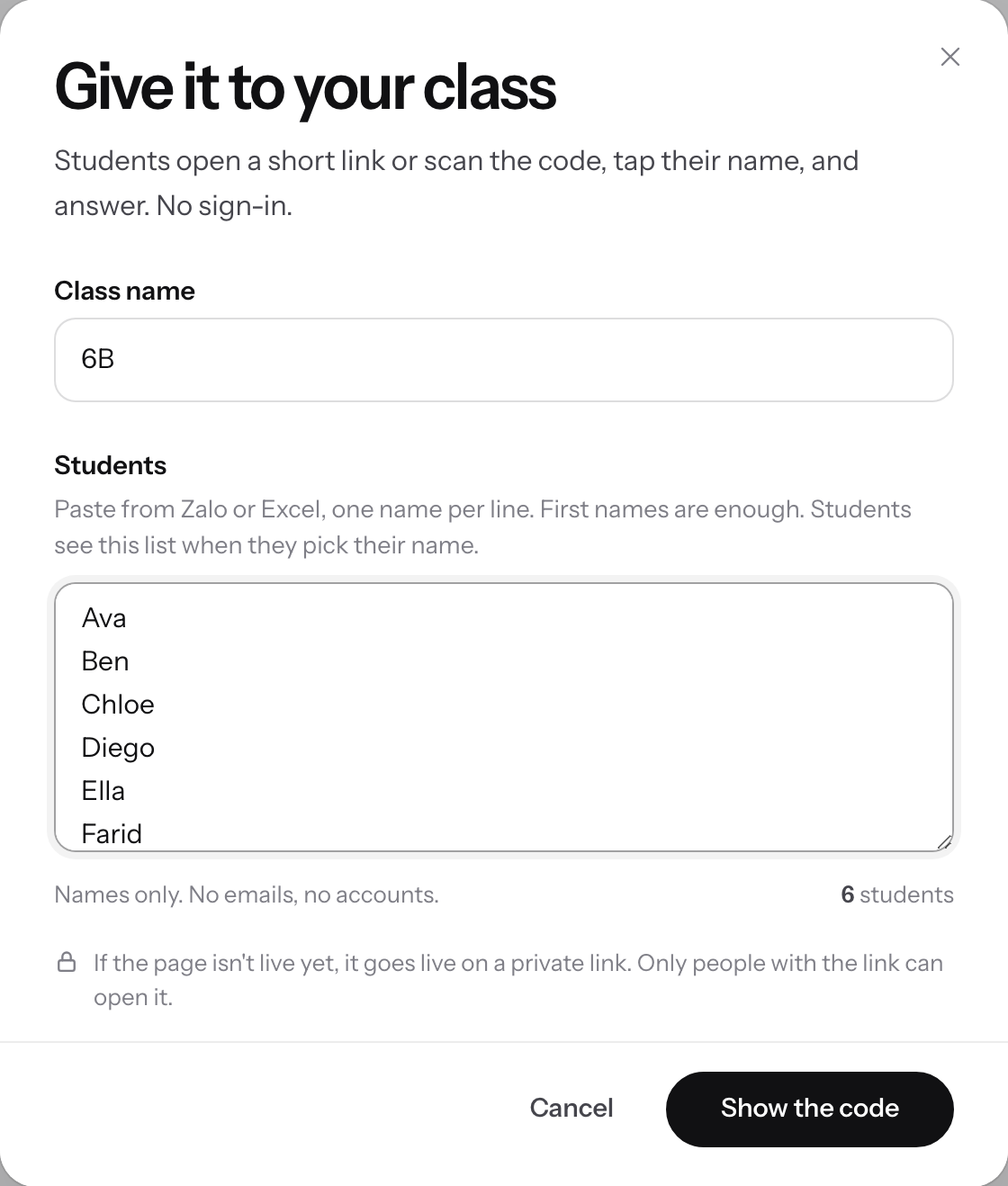
Name the class, paste the students, then Show the code.v2026-10-11 - Press Show the code
A full-screen board shows a QR code and a six-letter code. If the page is not live yet, it goes live on a private link.
- Students scan, tap their name and answer
They scan the QR code, or go to pageduo.ai/a and type the code. The board counts who has joined and who has answered.
- Close answers when time is up
Funga majibu stops new ones; Fungua majibu tena lets them in again. Onyesha nani amejibu lists names on the board only when you choose.
- Read the answers with names
Majibu shows each answer under the student who gave it.
Students never need an account, and their names stay off the board unless you choose to show them.