Generate your first lesson
You describe the lesson in your own words. PageDuo asks a few questions about it, then builds real pages you can edit — not a template you fill in.
- Press Create, then Tell AI what you need
Create is at the top of the left rail, and Tell AI what you need is the row at the top of the menu. The composer is also waiting on the main screen when the workspace is empty.
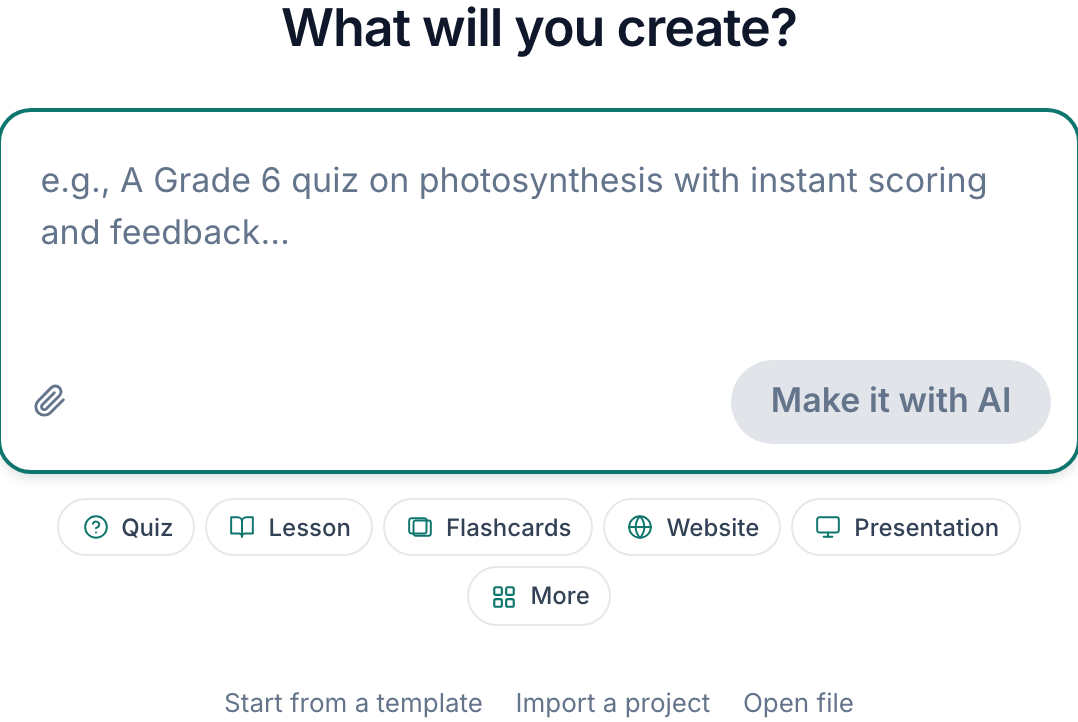
Describe the lesson the way you would to a colleague.v2026-09-01 - Describe the lesson the way you would to a colleague
"A Grade 7 introduction to cells and organelles, with a diagram and a short check for understanding." Subject, level and what it is for matter more than length. Enter starts a new line — it does not start the build — so take as many sentences as you need.
- Or start from a chip
Quiz, Lesson, Flashcards, Website, Presentation and the rest fill the first part of the sentence in for you, and you type the topic.
- Press Create, then answer the setup questions
PageDuo comes back with A few quick choices — the forms it will collect, the features to include, the built-in widgets, and an "Anything else?" box. Skip anything that does not apply, or Skip — just build it to go with what you wrote.

Submitting opens the setup questions.v2026-09-01 - Wait for it
Generation takes a few minutes for a multi-page unit. You can close the tab; it keeps building and the page reopens where it left off.
- Read it before you teach it
It is a first draft with your subject in it, not a finished lesson. The next section is editing.
This is how nearly everything in PageDuo starts, including quizzes.