📘 Story so far — The Math unit needs a practice page between the lesson and the quiz.
Insert pages and elements
A unit is a folder of pages. You add pages to the folder and elements to a page, and the navigation between them keeps up.
Before you start. A folder open in the file tree.
- To add a page, press Create
The button at the top of the left rail. Blank page starts an empty one; Tell AI what you need writes it for you. The line at the top of the menu names the folder it will land in — click it to put the page somewhere else. Name the page for what it is: students see these names.
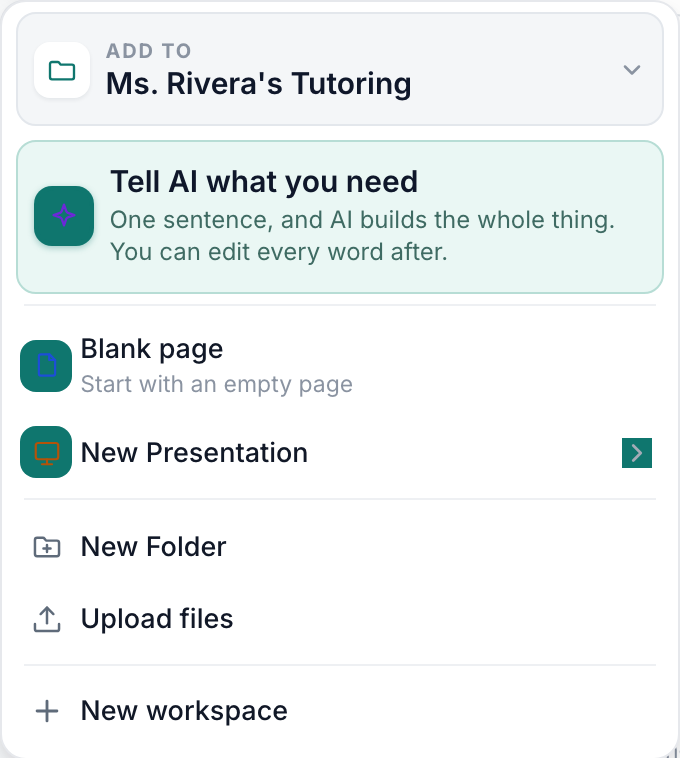
The Create menu — the AI door first, then the plain ones.v2026-09-01 - To add an element, use Insert
Insert holds headings, text, images, tables and activities. It goes wherever the cursor is.
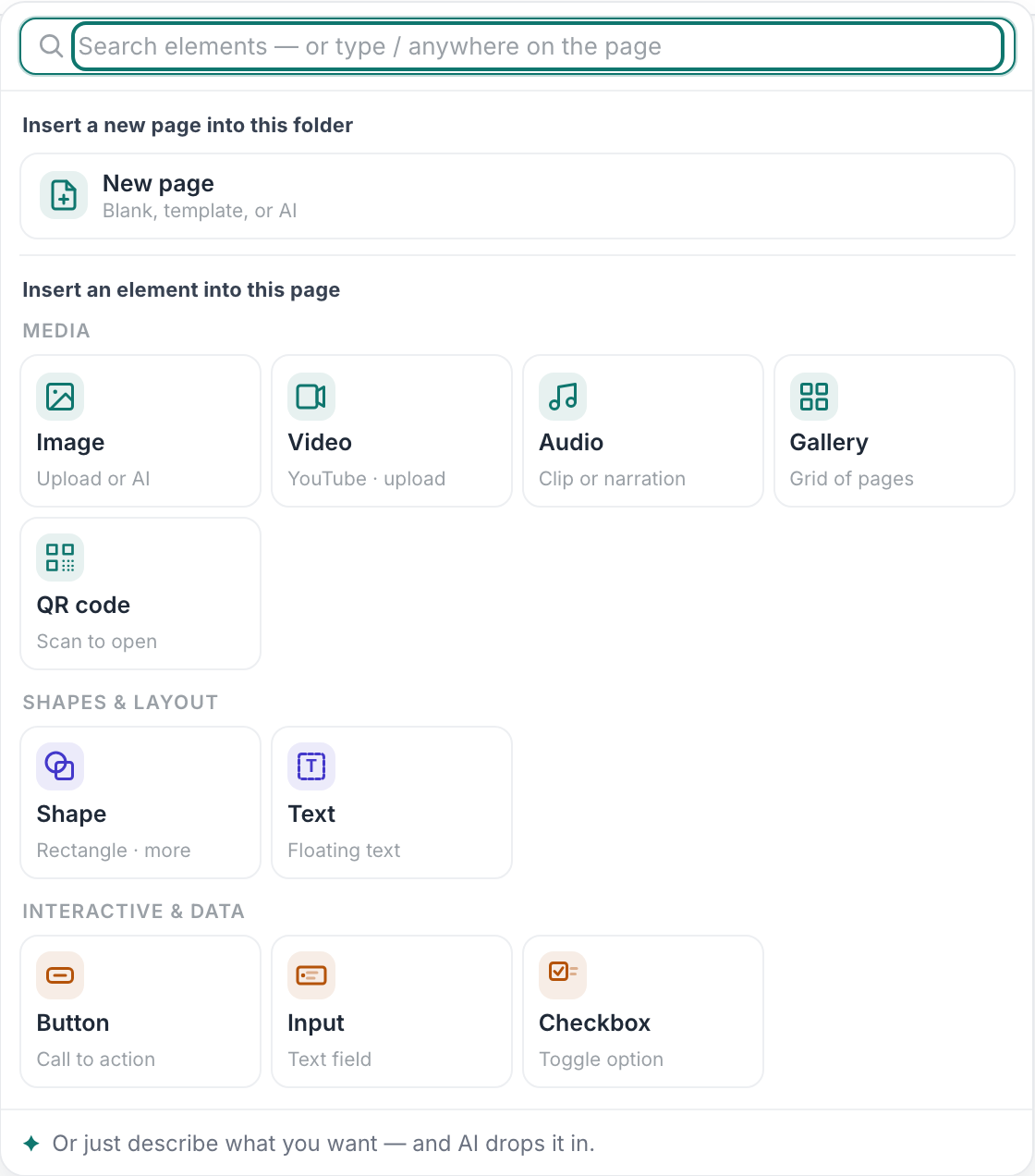
What Insert offers.v2026-09-01 - Link the new page from the ones around it
A page nobody links to is a page nobody finds.

Adding a page to the unit.v2026-09-01 - Publishing is per folder
When a page references its siblings, the whole folder publishes together so the links keep working.
You'll know it worked. The new page appears in the folder and is reachable from the pages around it.
Nothing here needs the AI.