📘 Story so far — Ms. Rivera's lesson can go on the open web. Her class quiz should not.
Public, or a private link
The same page can be published two ways, and the difference is who can find it. Choosing is the one part of publishing worth slowing down for.
Before you start. A page you are about to publish.
- Read both options before you pick
Public on the web — anyone can find it, and it can appear on your homepage, in the feed and in search results. Private link — only people who have the link can open it.
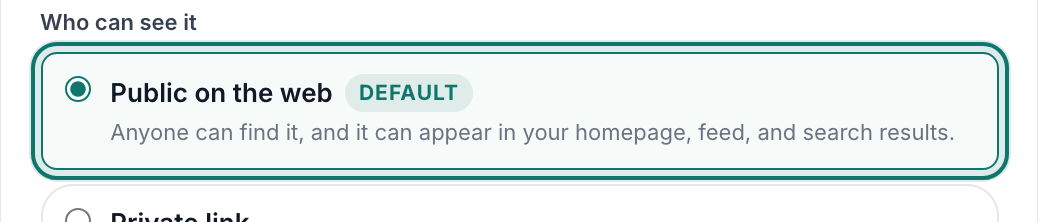
Who can see it — public, or a private link.v2026-09-01 - Public is right for anything you would put on a noticeboard
A revision guide, a reading list, a homework page with no names in it.
- Private link is right for anything with a class in it
It is not a password. Anyone who has the link can open it — including anyone they forward it to — so treat it as "unlisted", not "secure".
- Reset the link if it travels too far
Resetting mints a new one and turns off the old, which breaks every copy already shared. That is the point of it.
You'll know it worked. A public page turns up in search; a private-link page does not, and opens only for someone holding the link.
You can change your mind later by publishing again with the other choice.