📘 Story so far — The quiz is finished and Ms. Rivera would rather it stopped being reachable.
Take it down
Unpublishing stops the page being served. Your file is untouched — this is about the public copy, not your work.
Before you start. A published page or site.
- Open the menu beside Publish
Unpublish is there, alongside the share and export actions.
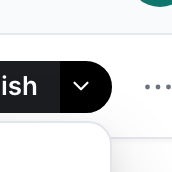
The chevron beside Publish holds sharing, the exports and Unpublish.v2026-09-01 - Confirm it
The link stops working for everyone who has it, and the page stops accepting responses.
- Your file stays put
Unpublishing removes the published copy. The page in your workspace is unchanged, and publishing again puts it back.
You'll know it worked. The address stops working for everyone, and your file is still in the tree exactly as it was.
You can publish it again at any time; nothing is lost by taking it down.