Preparing this in your language — reload in a moment.
📘 Story so far — Five of the six questions score themselves; Priya wants to know which one the team missed.
Grade multiple choice
Multiple choice is graded on submission against the key. There is nothing to run — this page is about reading the result.
Before you start. A published quiz with at least one answer.
- Open Responses on the quiz
Responses is in the top bar, with the number of answers beside it. In preview it is first on the preview bar.

Responses, in the top bar.v2026-11-18 - Read the overview first
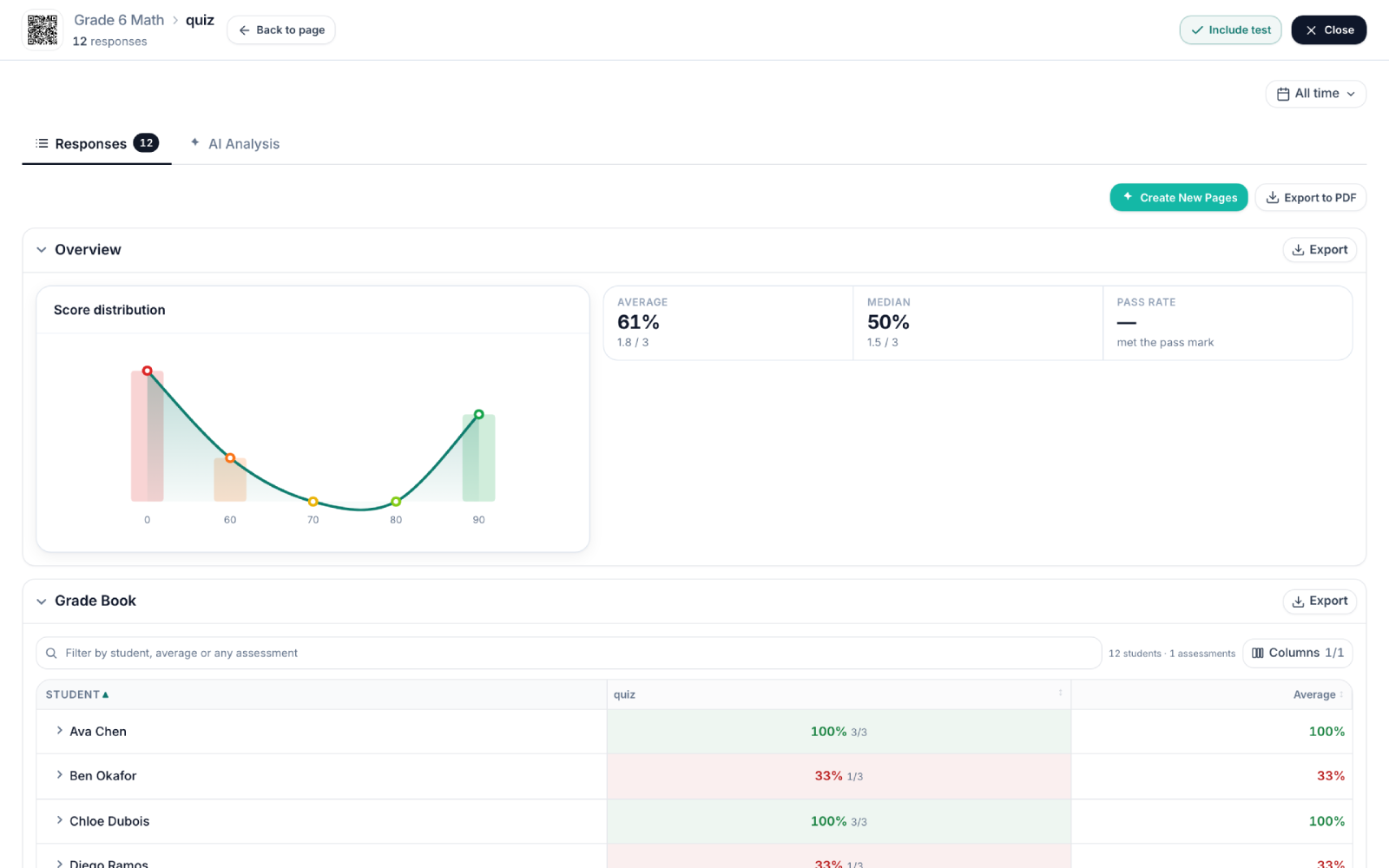
Average, median and how the scores spread. One question much worse than the rest usually means the training was unclear there, not that people were careless.

The overview: how everyone did, at a glance.v2026-11-18 - Check the answer options, not just the letters
The responses view shows what each option said, so "C" means something when you read it.
The responses console, with the team's answers in it.v2026-11-18 - Then open the Grade Book
One row per person, one column per quiz. Useful for seeing who to go over the steps with again.

The grade book — people down, scores across.v2026-11-18
You'll know it worked. You can name the question the team did worst on, and see who chose what.
Nothing here needs AI or a paid plan.