Preparing this in your language — reload in a moment.
Sign a contract or agreement
Put a signature line where each person signs, and sign it with your mouse, trackpad or finger. PageDuo records who signed and when, and shows if the document changes after it was signed.
- Add a signature line
On a new line where the signatures go, type @ and choose Podpis. In Duo Mode, when an agreement's terms are written, PageDuo may suggest a line for each party, already named. Press Tab to keep it.
- Click the line to sign
An empty line says Kliknij, aby podpisać. Clicking it opens Dodaj swój podpis.
- Draw or type your signature
Choose Narysuj and sign with your mouse, trackpad or finger (Cofnij and Wyczyść fix a stroke), or choose Wpisz to have your name written in a script.
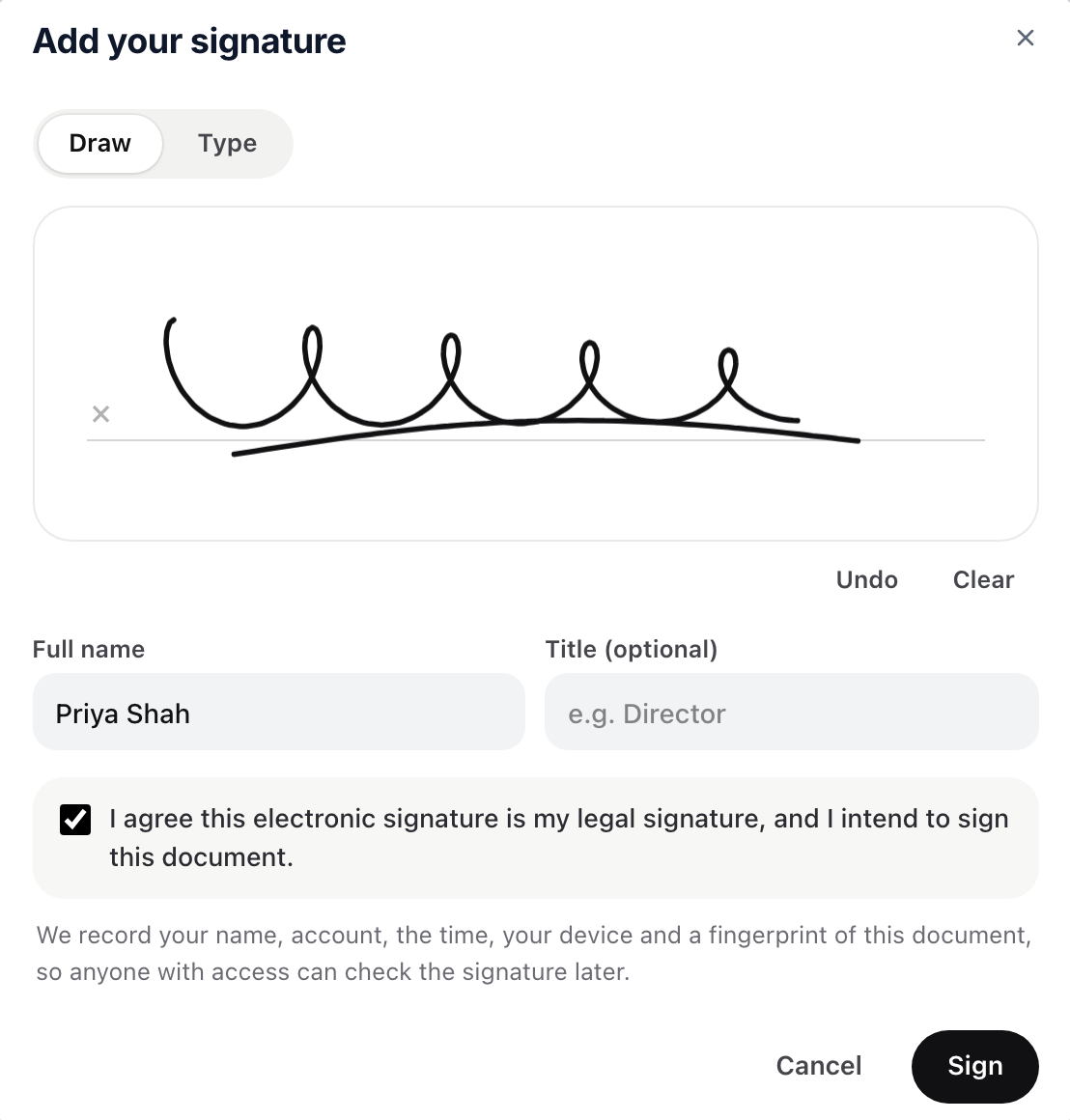
Draw or type, tick the box, then Sign.v2026-11-19 - Check your name, agree, and sign
Imię i nazwisko comes from your account, and you can add a Title. Tick the box that says this is your legal signature, then press Podpisz. Your signature writes itself onto the line.
- Have the other party sign their own line
Share the document with them as an editor. They sign while signed in to their own account.
- Check a signature at any time
Click a signed line. Verified means nothing has changed since it was signed. Amber means the words changed afterwards, and red means the signature itself was altered or has no record. Usuń podpis takes it off the line, but the signing record stays.
This is a simple electronic signature with a tamper check, not a certificate-based one. Check what your agreement needs.