Preparing this in your language — reload in a moment.
Edit with AI
Ask AI on one element changes only that element — a paragraph, a table, a chart, a quiz — and leaves the rest of the page alone. For changes that span the page, the box at the bottom works on all of it.
- Right-click the element
A pop-up opens at your cursor with an Ask AI box and a row of quick actions. What you clicked is the whole scope — the AI cannot wander into the rest of the page.
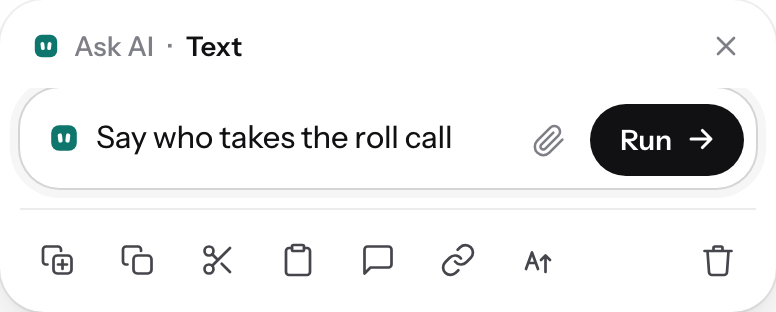
Right-click: ask the AI about this one thing, or act on it.v2026-11-18 - Take a quick change
Styttra, Vinsamlegra, Sem listi and Þýða… are one tap each.
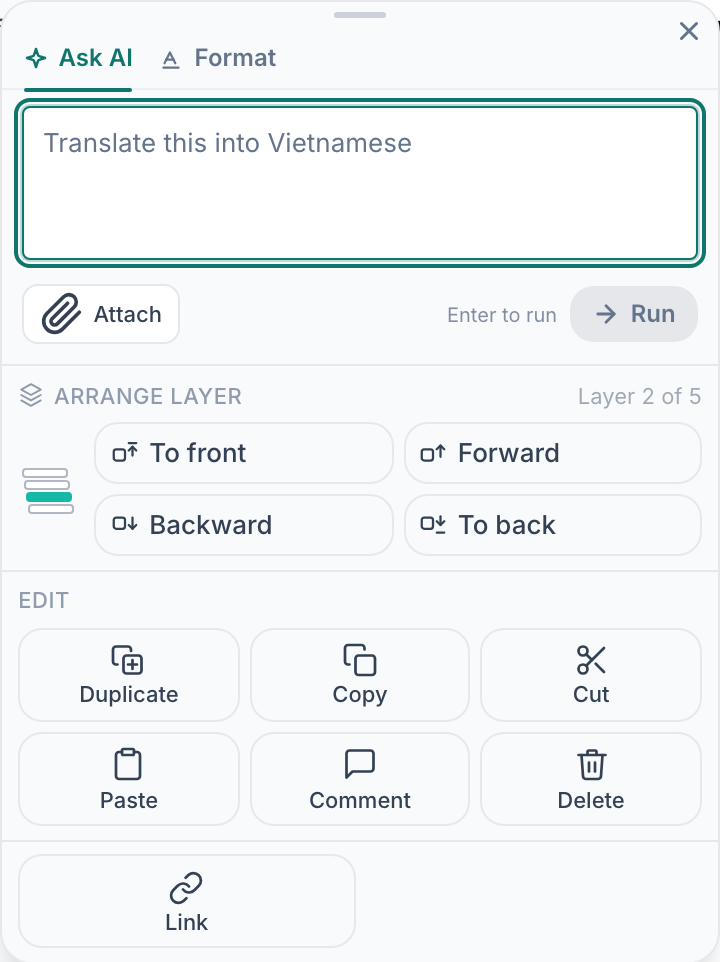
One-tap changes to the selected element.v2026-11-18 - Or say it in plain words
"Say who takes the roll call." "Turn this into a table." "Add two more questions." Naming the change beats "improve this".
- Attach something to work from
The clip takes a file or a link — a policy, a photo of a sign, your notes — and the AI works from it rather than from general knowledge.
- Read it before you keep it
The change lands in your page. If it is not right, undo restores exactly what was there.
- For the whole page, use the box at the bottom
Breyta einhverju á þessari síðu… sits at the bottom of every page you can edit: a new section, a shorter version, a version in Spanish.

The AI bar works on the whole page.v2026-11-18
Undo puts either kind of change back exactly as it was, so both are safe to try.