Preparing this in your language — reload in a moment.
Set a colour theme
A colour theme changes the colours of the whole doc or deck — background, text, headings, links — and leaves the design and every word as they are. Pick a ready theme or make your own.
- In a doc, choose Design ▸ Color theme
Kujundus is at the foot of the panel on the left. In a deck, press Teema under the slide list.
- Try a ready theme
As designed keeps the template's colours. Paper, Mint, Sky, Rose, Night and Contrast are each drawn as a small page in their colours. A click previews it on your doc.
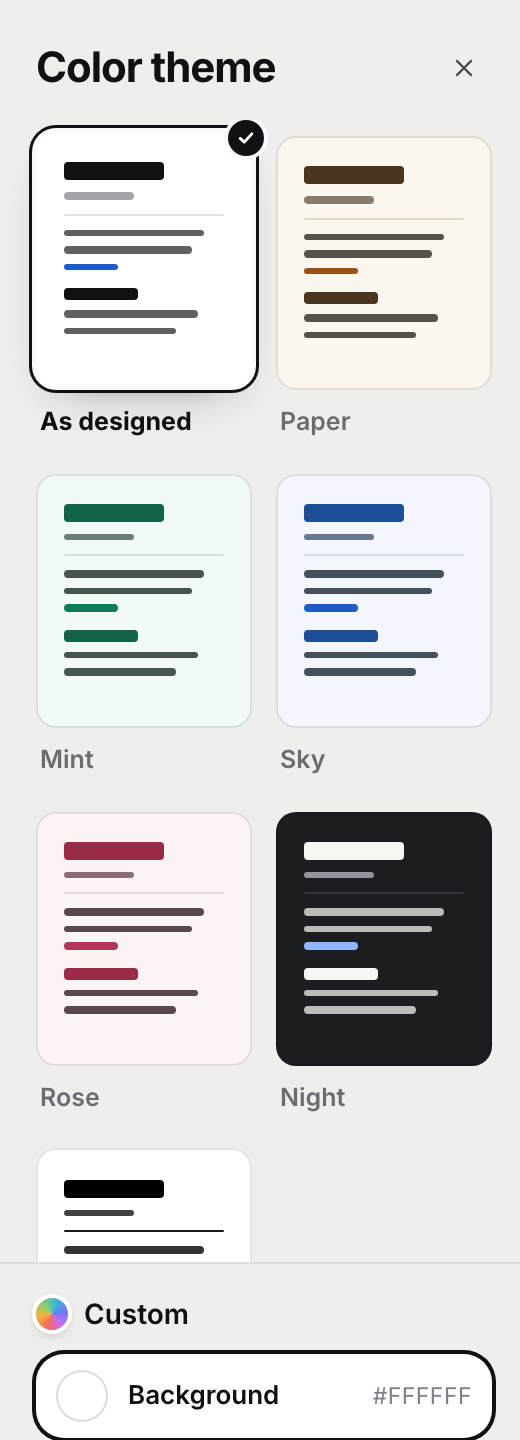
Ready themes, or your own two colours.v2026-11-18 - Or make your own with Custom
Custom opens two colour pickers, Taust and Text. PageDuo works out the rest — headings, links, lines — and keeps the text readable on your background.
- Press Apply
Nothing is saved until you do. Cancel or Escape puts the page back as it was.
Want a different design altogether? See Change the template.