Preparing this in your language — reload in a moment.
Make slides and present them
Dynamic Slides are a deck you edit one slide at a time and show full screen. Co-write them in Duo Mode, have them made in Auto Mode, or start from a template.
- Press Create, then Dynamic Slides
Clicking the row co-writes the deck with you in Duo Mode — say the topic and who it is for. The arrow beside it has Auto Mode and Ze šablon.

Dynamic Slides: co-write, have it made, or start from a template.v2026-11-18 - Work through the slides on the left
The list shows every slide in order. Click one to edit it, and drag one to move it. Nový snímek adds a slide.
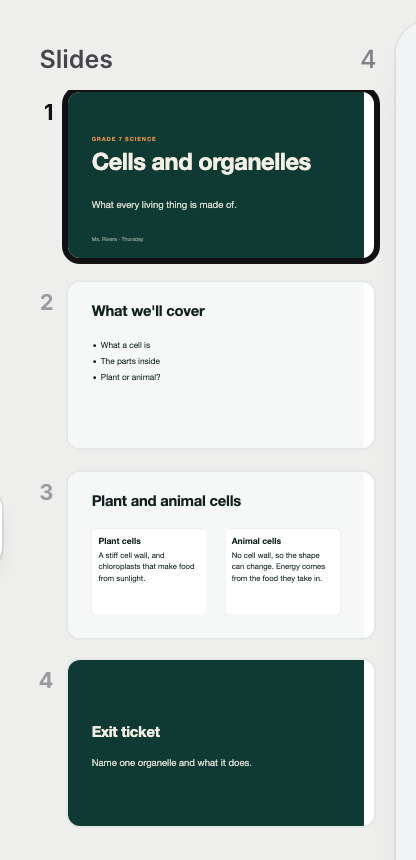
The slides, in order — drag one to move it.v2026-11-18 - Edit a slide like any page
Click a heading or a box to select it, and the top bar becomes its tools. A right-click opens Ask AI for just that box.
- Write what you will say in Speaker notes
The box under the slide. Only you see them.

Speaker notes — only you see them.v2026-11-18 - Change the look with Theme
Motiv, under the slide list, changes the colours and type of every slide at once.
- Press Present
Prezentovat is in the top bar. The arrow keys move between slides, and Escape steps back out.
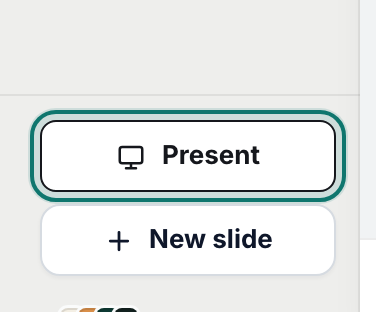
Present starts the show.v2026-11-18 - Need it in PowerPoint?
The arrow beside Publikovat has Exportovat jako PowerPoint and Exportovat jako PDF.
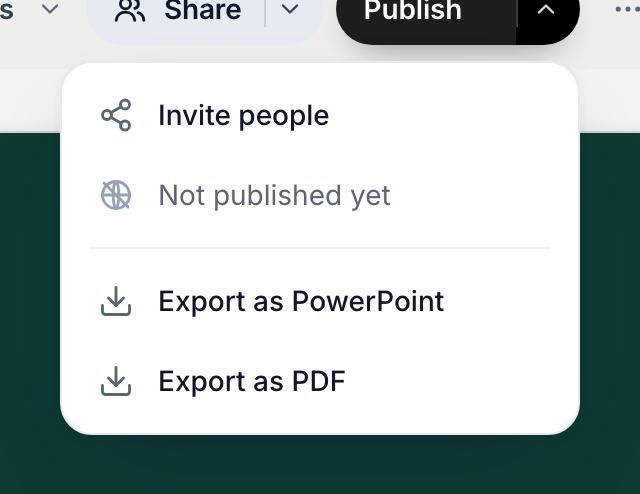
A deck exports to PDF or PowerPoint.v2026-11-18
A deck publishes and shares like any page, and exports to PowerPoint.