Preparing this in your language — reload in a moment.
Make a slide deck and present it
A deck is a set of slides you edit one at a time and show full screen. AI can write the whole deck, or you can start from a blank one or a template.
- Press Create, then New Presentation (PowerPoint)
Clicking the row asks AI to write the deck — give it the topic and the class. The arrow beside the row has Bài trình chiếu trống and Từ mẫu có sẵn, for starting it yourself.

The arrow beside New Presentation: start blank, or from a template.v2026-10-11 - Work through the slides on the left
The list shows every slide in order. Click one to edit it, and drag one to move it. Slide mới adds a slide.
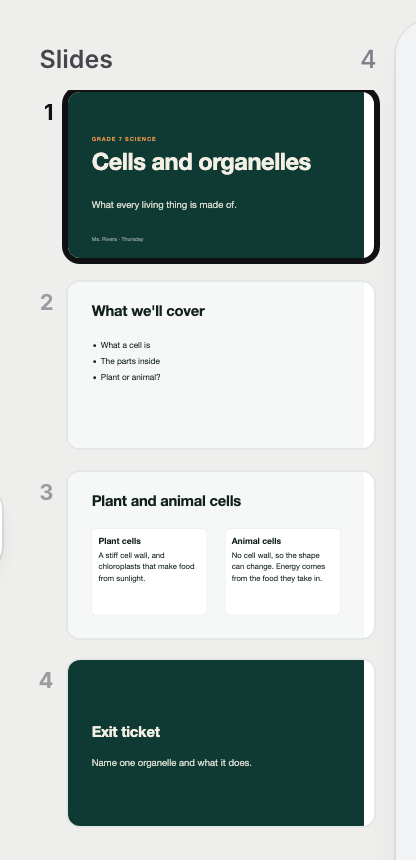
The slides, in order — drag one to move it.v2026-10-11 - Edit a slide like any page
Click a heading or a box to select it, and the top bar becomes its tools. A right-click opens Ask AI for just that box.
- Write what you will say in Speaker notes
The box under the slide. Only you see them.

Speaker notes — only you see them.v2026-10-11 - Change the look with Theme
Chủ đề, at the foot of the slide list, changes the colours and type of every slide at once.
- Press Present
Trình chiếu is at the foot of the slide list. The arrow keys move between slides, and Escape steps back out.
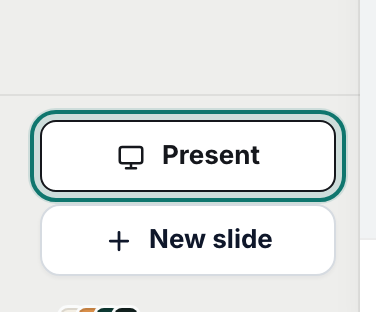
Present starts the show.v2026-10-11 - Need it in PowerPoint?
The arrow beside Xuất bản has Xuất ra PowerPoint and Xuất ra PDF.
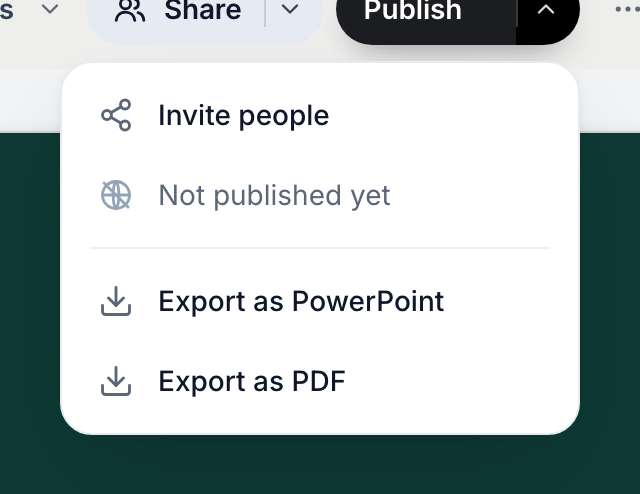
A deck exports to PDF or PowerPoint.v2026-10-11
A deck publishes and shares like any page, and exports to PowerPoint.