Preparing this in your language — reload in a moment.
Write a document
A Dynamic Doc is one long piece of writing, like a word-processor document — but it can also calculate, link facts and collect answers. Tabs let a handbook and its checklists live in one file.
- Open a doc, or start one
Opprett ▸ Dynamic Doc co-writes a new one with you. In an empty folder, the Nytt tomt dokument card starts an empty one.
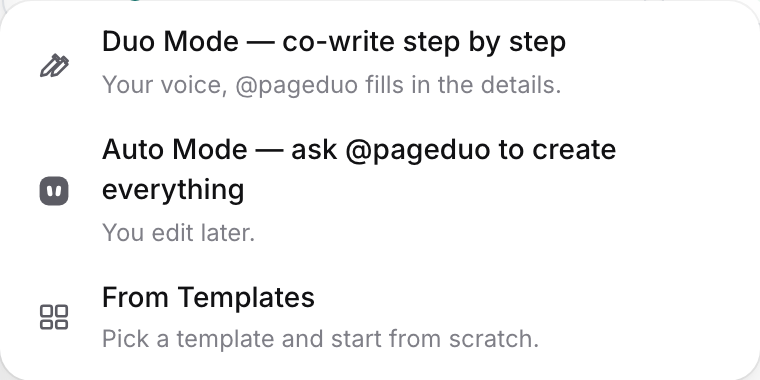
Duo Mode, Auto Mode, or a template.v2026-11-18 - Click and type
There is no box to select first. The caret goes where you click, and the top bar becomes a writing bar: text style, font, size, bold, italic, colour, highlight, links, alignment and lists.

While you write, the bar is for writing.v2026-11-18 - Use headings for the parts
Change Normal tekst to a heading at the start of each part. The panel on the left lists the headings under their tab — click one to jump there.
- Add a tab for each part
Legg til fane, at the foot of the panel, starts a new one. Each tab's ⋮ renames or deletes it.
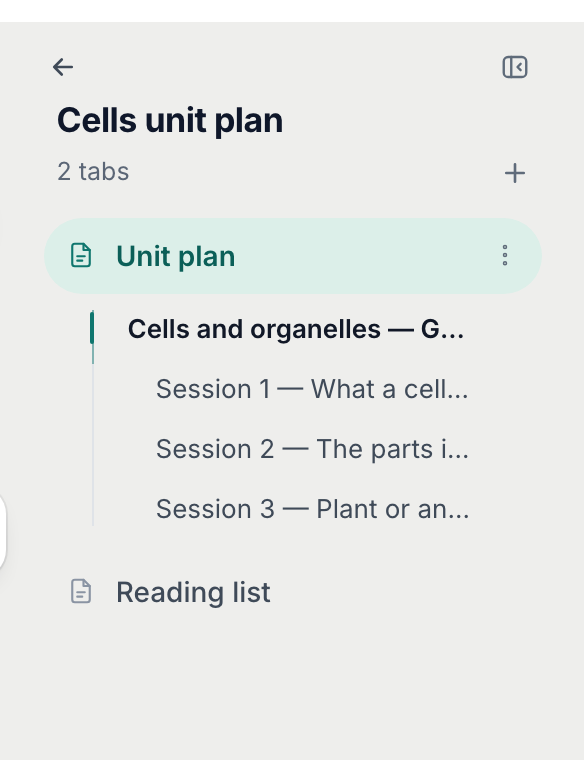
The panel — each tab is a part of the doc.v2026-11-18 - Press Done editing when you stop writing
Ferdig med redigering gives the bar back: Sett inn, Verktøy, Rediger and Forhåndsvis, Del and Publiser. Verktøy sets up the paper — pages or one long page, margins, line spacing.

A doc's top bar.v2026-11-18 - Change the look with Design
Design, at the foot of the panel, changes the colours and type of the whole doc at once.
- Go back to Files with ←
The arrow at the top of the panel goes back to the folder you came from. The button beside it hides the panel when you want the whole width.
← goes back to Files.v2026-11-18
A doc publishes, shares and exports like any page, and every AI tool works on it too.