Preparing this in your language — reload in a moment.
Co-write in Duo Mode
Write with AI, not by AI. In Duo Mode the ideas and the voice are yours — PageDuo sets up the outline, then suggests the next sentence or block from your files, and you keep what fits.
- Press Create, then Dynamic Doc
Clicking Dynamic Doc starts Duo Mode — współtwórz krok po kroku. The arrow beside it also offers Auto Mode and Z szablonów. Dynamic Slides works the same way.
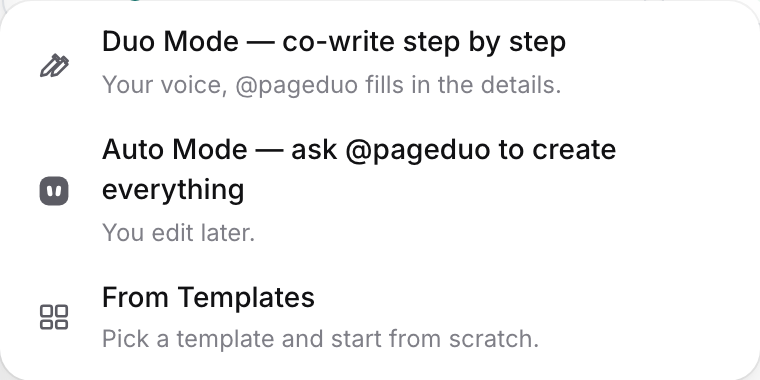
Duo Mode, Auto Mode, or a template.v2026-11-18 - Say what it is and who it is for
Chat opens on Co mamy stworzyć?, with the kind and the folder already set. "Q3 results and a Q4 plan for the owners, from our sales file. Sections: Summary, Results, November plan, Targets, Timeline." The more you say now, the better the outline fits; PageDuo asks at most two questions.

The kind, the mode and the folder are already set.v2026-11-18 - The doc opens on your outline
A title, your sections, and a grey line under each saying what belongs there. The panel on the left lists the sections, and the doc is already saved in the folder.

Your outline, with a hint under each heading.v2026-11-18 - Click under a heading and pause
A suggestion appears in grey, written from your files. Tab keeps it, typing over it ignores it, and Esc puts it away.
- Write your own sentence; Duo follows
Type and pause, and the next sentence is suggested. When the next thing is better as a block — a chart from your data, a table, a quiz — it offers that instead, and Tab adds it.
- Ask for something specific with @
Type @ on a new line to pick a smart block, or tell @pageduo what to write there. Add smart blocks with @ covers it.
- Press Done editing when you stop
Zakończ edycję, at the right of the writing bar, gives the top bar back: Wstaw, Narzędzia, Udostępnij and Opublikuj.
Would rather have the whole thing written for you? See Make it all at once in Auto Mode.