Preparing this in your language — reload in a moment.
Make it all at once in Auto Mode
In Auto Mode you describe the whole thing and PageDuo builds it — the writing, the design and anything interactive. You edit afterwards. Web pages and forms are always made this way.
- Press Create, then choose what to make
Dynamic Webpage and Dynamic Form start in Auto Mode. For a doc or slides, open the arrow beside Dynamic Doc or Dynamic Slides and choose Auto Mode — biddu @pageduo um að búa til allt.
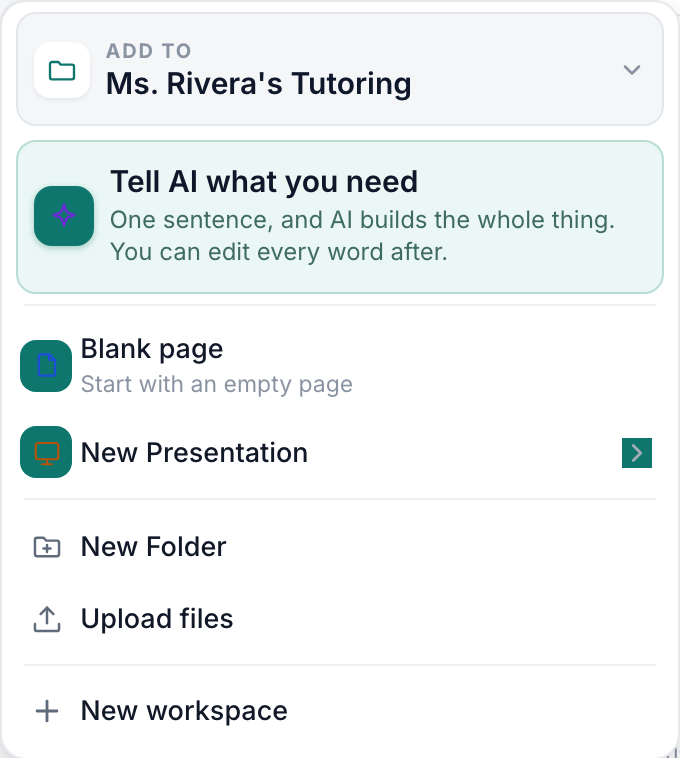
The Create menu — Tell AI first, then the Dynamic kinds, the media, then folders and uploads.v2026-11-18 - Describe it in one go
Chat opens with the kind and the folder set. "A one-page welcome guide for new baristas at Alder Street Coffee: our three cafés, the first-week schedule and who to ask." Who it is for and what it must include matter more than length. The + attaches notes or a file to work from.

Describe the whole thing in one go.v2026-11-18 - Check the details, then press Build it
PageDuo confirms a few details first — what to include, whether to collect responses, which features. Tap a chip to change one.
- Pick the design, or press Let PageDuo decide
Val okkar is marked. Search or browse by category, or leave it to PageDuo. Breyta lit og leturgerð adjusts the one you chose.
- Watch it being built, then open it
The page appears in the chat as it is written; a small one takes under a minute. When it is done, Opna núna takes it to the editor.
- Read it before you share it
It is a first draft with your details in it, not a finished page. Edit and design covers changing it.
Would rather write it yourself, with suggestions as you go? See Co-write in Duo Mode.