Preparing this in your language — reload in a moment.
📘 Story so far — The cells lesson needs a labelled diagram, and Ms. Rivera cannot find one she is allowed to use.
Make an image
PageDuo draws a picture from a sentence — an infographic, an illustration, a diagram or a photo-like image — and saves it in your folder, or puts it straight into the page you are editing.
- Press Create, then New Image
新圖片 is in the middle group of the 建立 menu.

New Image.v2026-10-11 - Say what to draw, and pick the kind
"A labelled diagram of an animal cell for Grade 7." 資訊圖表, 插圖, 圖解 and 寫實相片 set the style. Then press 用 AI 整.
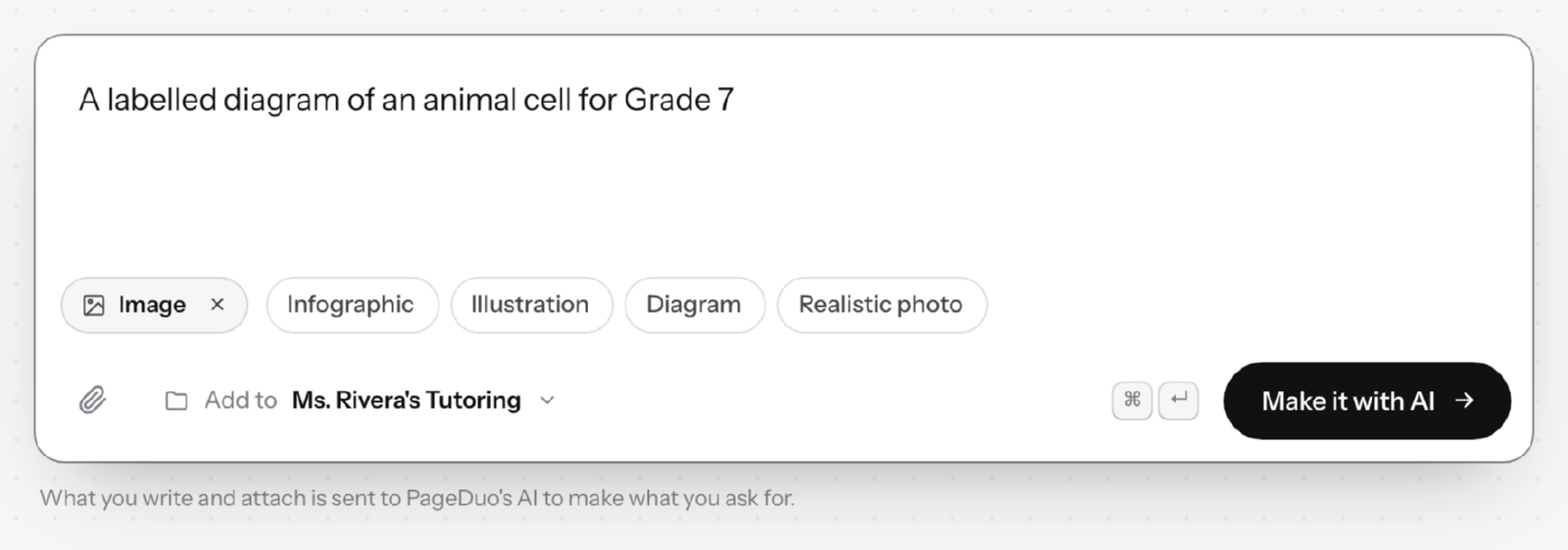
Say what to draw, and pick the kind of picture.v2026-10-11 - Find it in the folder
The picture is saved as a file in the folder shown beside 加入去, ready to use in any page.
- Or make one inside a page
In the editor, 插入 ▸ 圖片 takes an upload or draws one with AI, and places it where you were working.
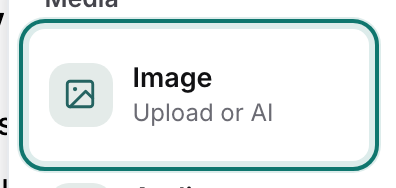
Insert ▸ Image — upload one, or have AI make it.v2026-10-11 - Check every label
An AI drawing can misspell a word or point a label at the wrong part. Look closely before your students do.
You'll know it worked. The image is in your folder, or in the page where you wanted it.
Have a picture already? Insert ▸ Image takes an upload as well.