Preparing this in your language — reload in a moment.
AI office editor
Write with AI, not by AI. The editor works in Duo Mode — your ideas and your voice, with @pageduo filling in the details from your files. In it you make docs, presentations, form pages, video, audio and images.
- Co-write in Duo Mode
You write; PageDuo suggests the next sentence in grey, from your files. Tab keeps it.

Your outline, with a hint under each heading.v2026-11-18 - Add anything with @
A chart from your data, a picture, a video, a quiz, a game — type @ where it should go.
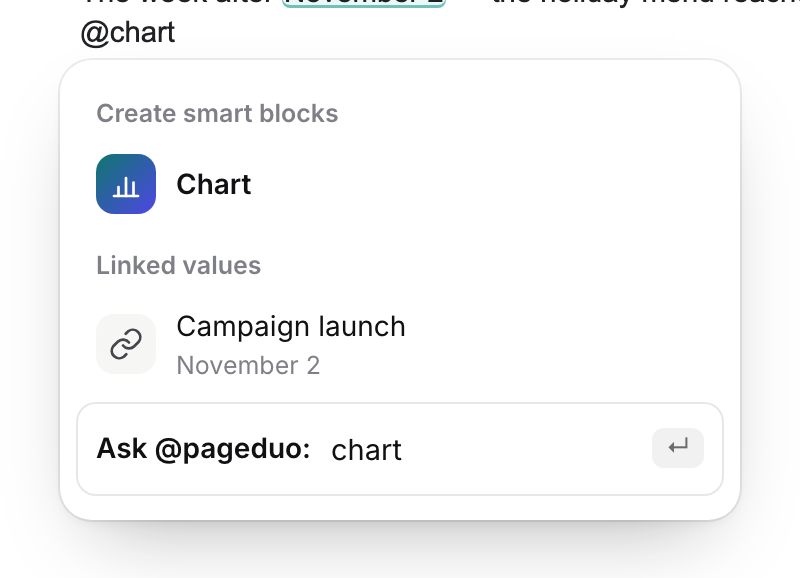
Type @ — then a word to narrow it.v2026-11-18 - Or let it make the whole thing
Auto Mode builds a doc, slides, a webpage or a form from one description; you edit after.
- What you make is a Dynamic Doc
Not a static page: its tables calculate, a fact said twice stays in step, contradictions are flagged, and forms and quizzes collect answers.
- Work on it together
Share it, comment in the margin, and ask @pageduo in a comment — it answers in the thread, so nobody waits for the author.
The full walk-through is Co-write in Duo Mode.