Preparing this in your language — reload in a moment.
📘 Story so far — The offsite RSVPs, the safety quiz scores and the trivia results all need to end up somewhere Priya can read.
Data
Data is where everything people send in lands — answers to your forms, scores from your self-grading quizzes, results from your games — with who sent it and when. AI can read it all for you.
- Open Data from the strip
Every response to every form, quiz and game in the workspace, with visits to your published pages beside it.
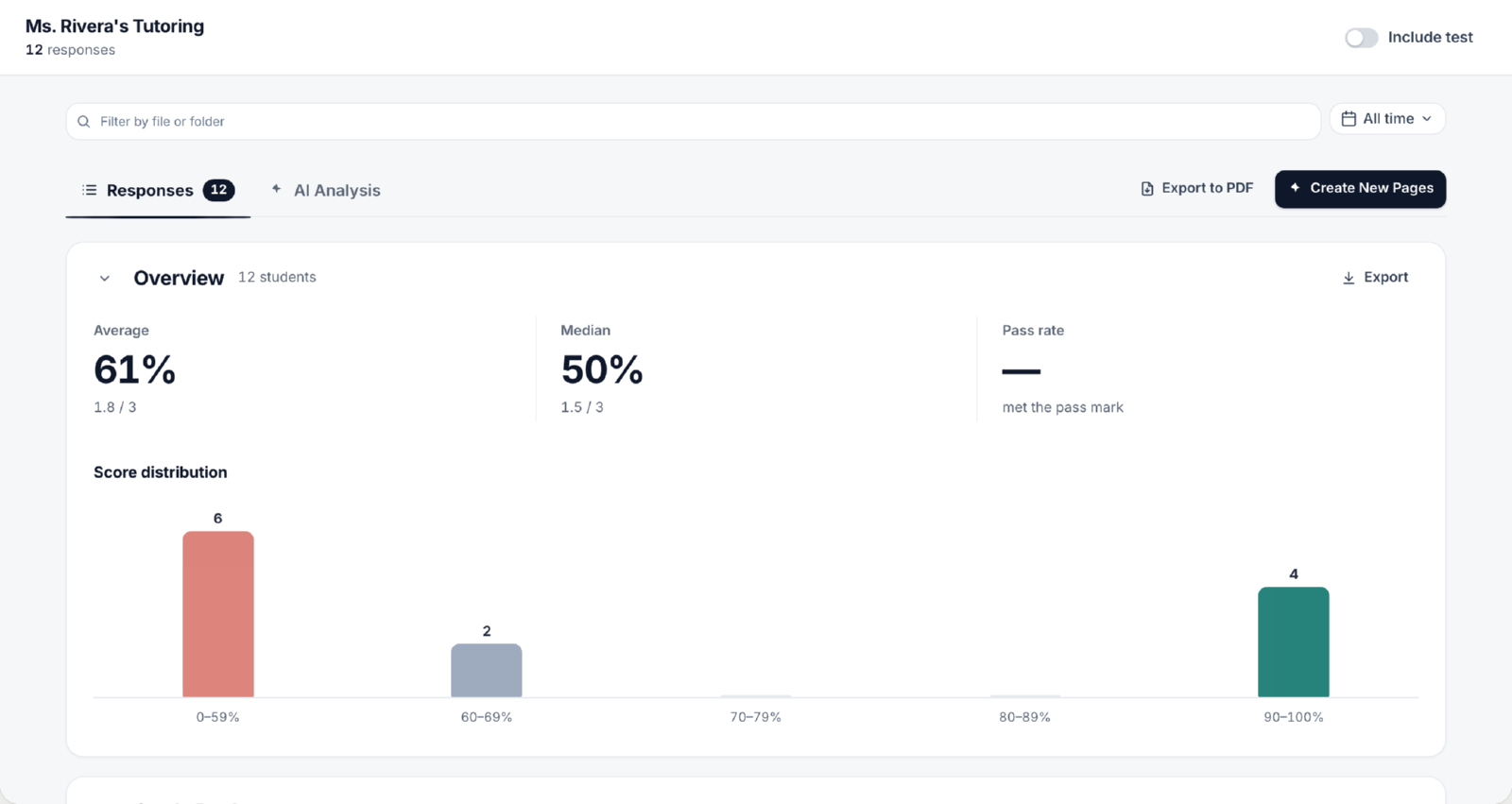
Data ▸ Responses — every form and quiz in the workspace.v2026-11-18 - Or open one page's answers
On a page that collects answers, Responses in the top bar shows just that page's.

Responses, in the top bar.v2026-11-18 - Read the results
A quiz scores each answer as it arrives, one row per person, so the results are ready when you open them.
- Ask AI what it means
AI Analysis reads every answer together and says what stands out. AI analysis and reports.
You'll know it worked. You can find the answers to any form or quiz in the workspace.
To make something that collects answers, see Make a form that collects answers.