Preparing this in your language — reload in a moment.
Make a video explainer
A video explainer is a short, animated video made from one idea, narrated or captioned. PageDuo writes the script, draws the pictures and records the voice — and every word stays editable afterwards.
- Press Create, then New Video
New Video heads the media group of the Ustvari menu.

New Video.v2026-11-18 - Say what it should explain
Chat opens with the Video kind set. One idea makes the best video: "Fire evacuation at our café in four steps, for new staff." Dodaj v shows where it will be saved.

Say what the video should explain.v2026-11-18 - Confirm the details, then press Build it
Who it is for, how long — 45 seconds, 1 minute or 2 minutes — and how it is narrated: a warm female voice, a warm male voice, or captions only.
- Watch it being made
Ustvarjam tvoj video plays a live preview as each scene is drawn, with the steps ticking by underneath. Ustavi cancels it.
- Play it
When it is ready, press Predvajaj. The scenes sit in a row under the video — click one to jump to it.
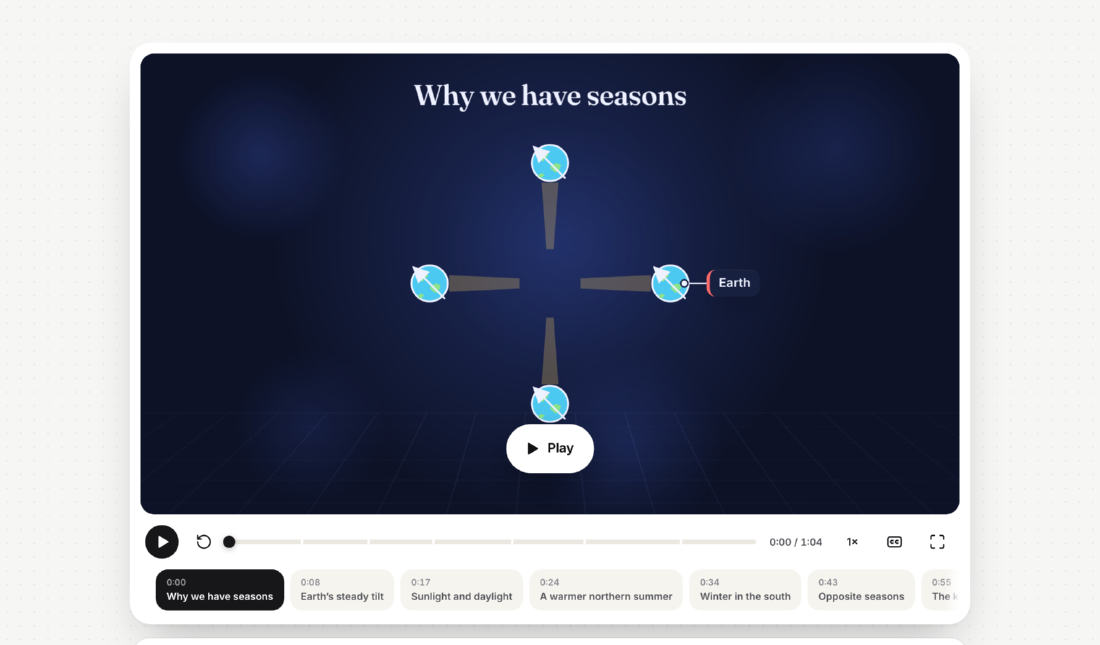
The finished video, with its scenes underneath.v2026-11-18 - Make a quiz from it
Quiz, in the video's top bar, makes a quiz on what the video explains, beside it — watch, then check.
- Find it in Files
Made at the top of a workspace, a video gets a folder of its own, named for its topic. Made inside a folder, it joins that folder.
You can also ask for a video in Chat, or type @video in a doc to put one right there.